Interactive TUI
Launching the TUI
Pane Layout
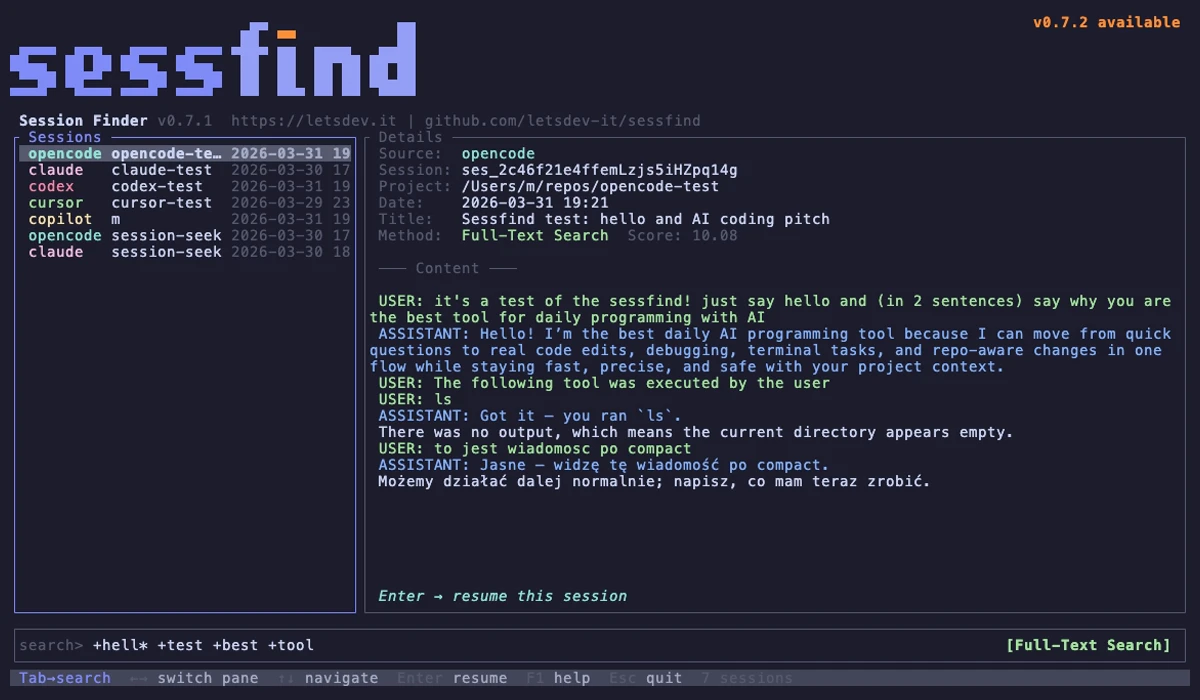
The TUI opens in full-screen mode with three areas:
- Left pane — search results list (source, project, date)
- Right pane — session details and conversation preview
- Bottom — search input with mode indicator
Keybindings
| Key | Action |
|---|---|
| Type | Filter sessions in real-time |
Tab | Switch focus between search and results |
Shift+Tab | Toggle search mode (FTS / Fuzzy / LLM / Semantic*) |
Ctrl+S | Toggle sort order (Newest first / Best match) |
Up/Down, j/k | Navigate results |
Enter | Resume selected session (opens confirmation dialog) |
PgUp/PgDn | Scroll session preview |
Ctrl+U | Clear search input |
? | Show help popup |
Esc | Quit |
Note
Semantic mode is only available when the sessfind-semantic plugin is installed.
Sort Order
Press Ctrl+S (while in search focus) to toggle the sort order of results:
| Sort Mode | Description |
|---|---|
| Newest first (default) | Sessions sorted by time descending, then by relevance score |
| Best match | Sessions sorted by relevance score descending, then by time |
The current sort order is displayed at the bottom of the results list. The setting persists until the application is closed — switching between search and results does not reset it.
Resume Confirmation
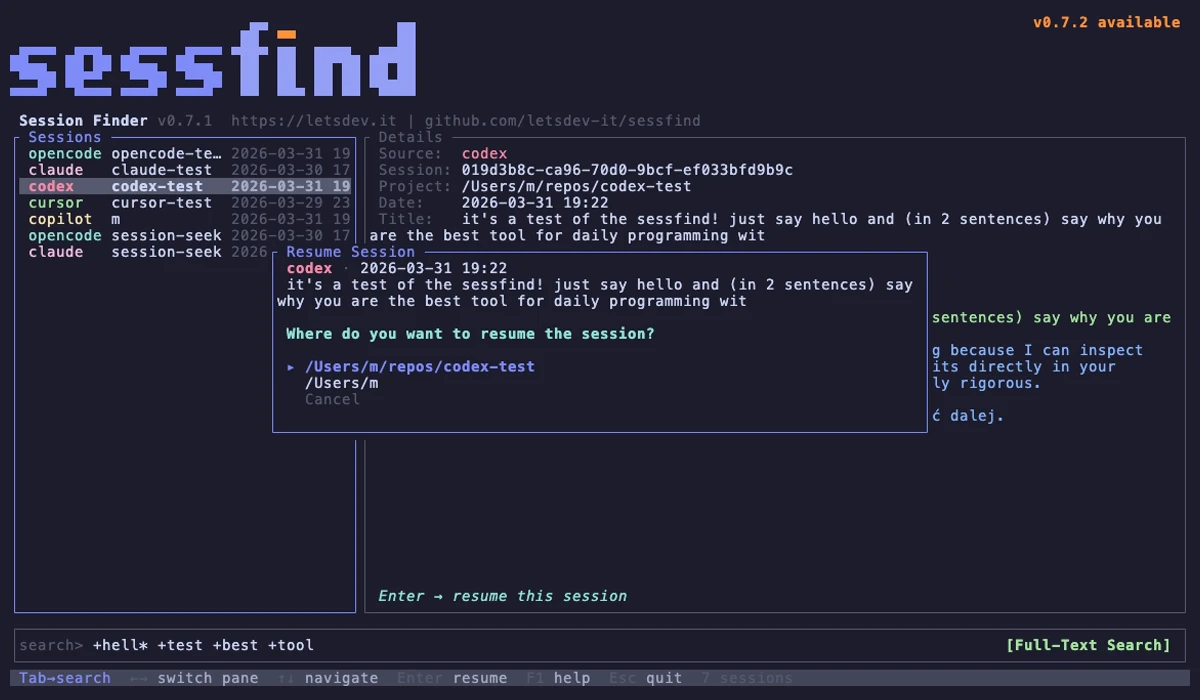
When you press Enter on a selected session, a confirmation dialog appears showing:
- Session summary — source, date (in local time), and title
- Directory choice — where to resume the session:
- Session directory — the original project directory (if it no longer exists, it will be created)
- Current directory — your current working directory
- Cancel — go back to search
Use ↑/↓ to select an option and Enter to confirm, or Esc to cancel.
All dates in the TUI are displayed in your computer's local timezone.